

Technical Foundations of CarPlay and Android Auto Integration
Understanding the underlying technology is paramount for a successful installation. CarPlay and Android Auto are not merely audio streams; they are projection technologies that require a specific hardware and software handshake between the vehicle's infotainment system and the smartphone.
How the Smartbox Interfaces with the Harman System
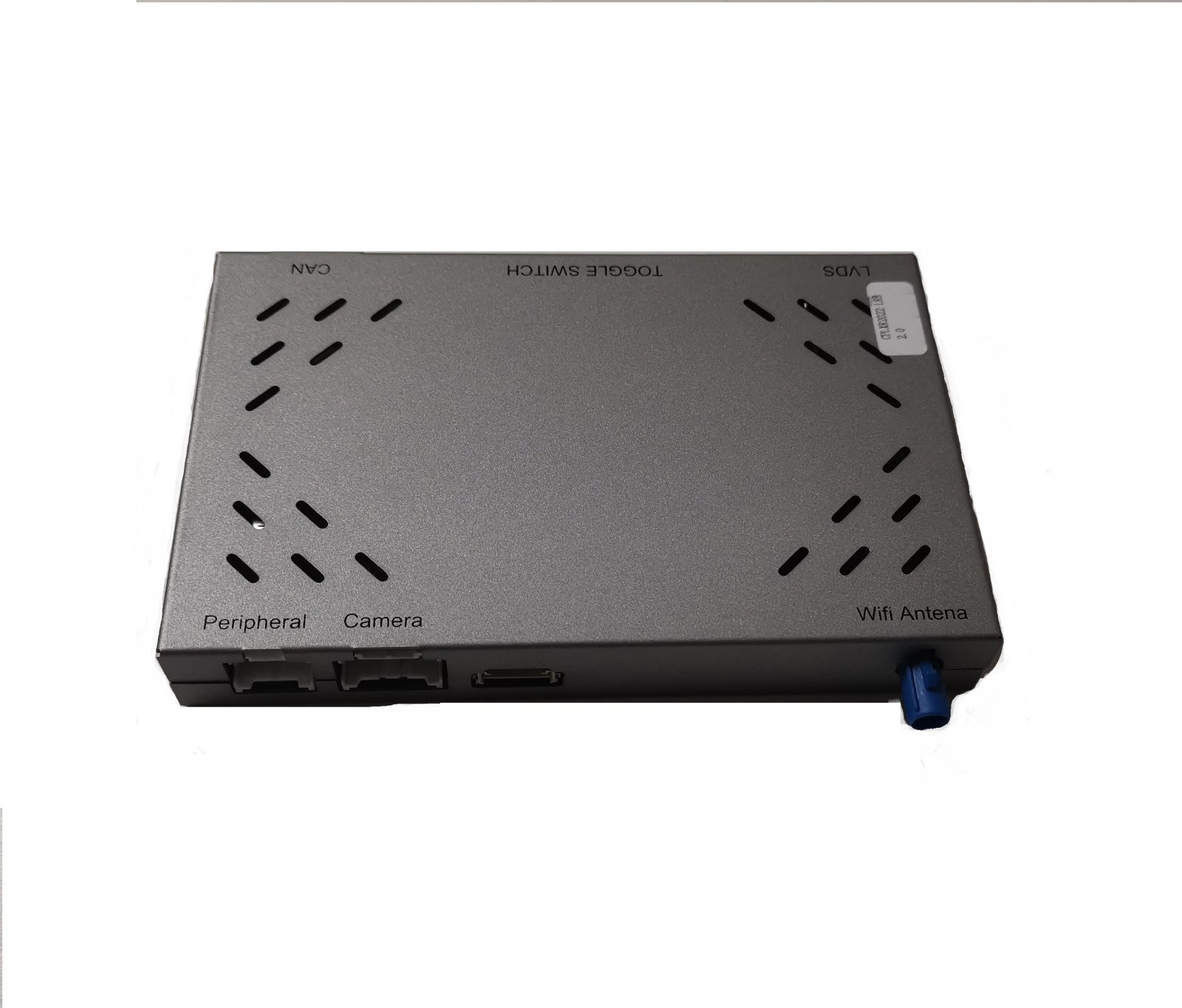
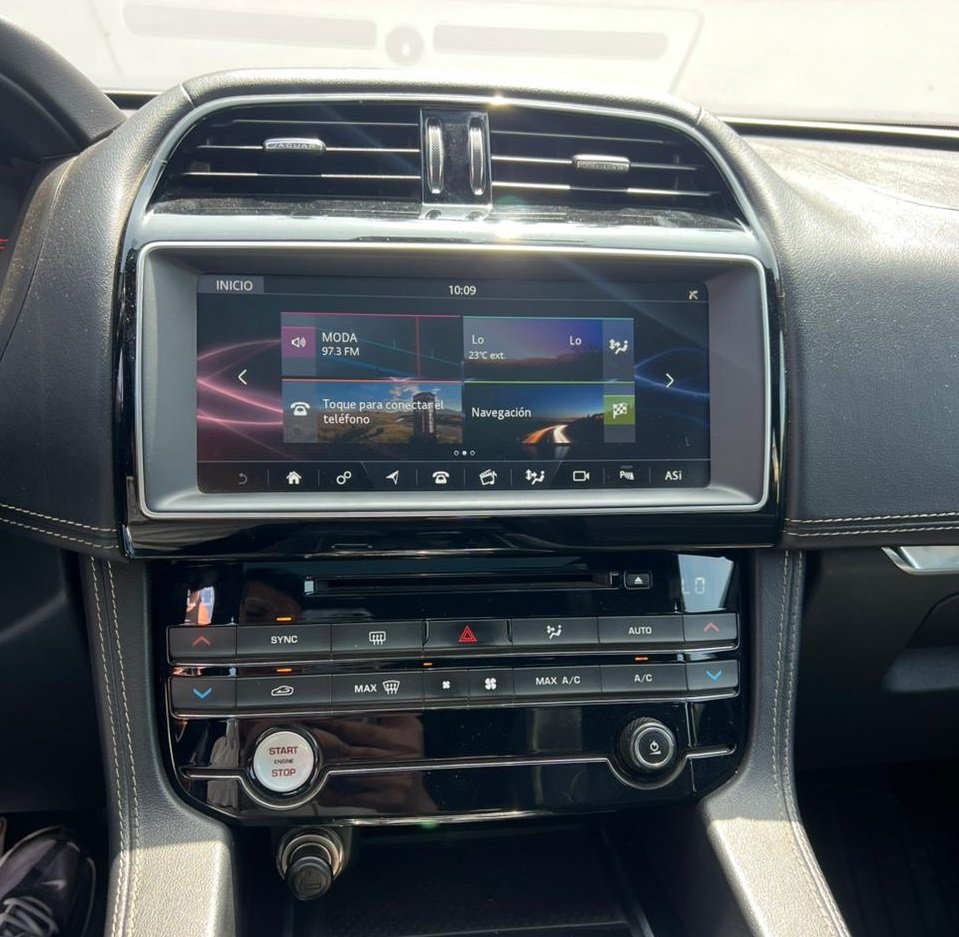
The Wireless Smartbox acts as an intermediary processor. It intercepts the communication between the vehicle's display and its main infotainment computer. By modifying the Car Configuration File (CCF), the system is tricked into recognizing the Smartbox as a valid media source capable of supporting projection protocols. The box itself handles the Wi-Fi and Bluetooth connections for CarPlay and Android Auto, decoding the data and transmitting it as a high-definition video signal that the factory screen can display. This method ensures OEM-level stability and integration, including steering wheel control retention and audio routing through the vehicle's premium sound system.
Hypothetical Step-by-Step Retrofit Process
Disclaimer: This is a generalized overview. Always refer to the specific installation manual and technical bulletins for the vehicle and Smartbox kit you are working with.
- Pre-Diagnosis: Connect a diagnostic tool (e.g., JLR SDD/Pathfinder) and perform a full vehicle scan. Note any existing faults related to the audio/infotainment module. Verify the exact hardware and software version of the Harman system.
- Hardware Installation: Power down the vehicle. Install the Smartbox hardware, typically in the glovebox or center console area. This involves connecting to the vehicle's MOST bus, power, ground, and the display cabling. Secure all connections and route wiring neatly to avoid rattles.
- Vehicle Configuration (CCF Editing): This is the most critical step. Using a specialized tool like the JLR Engineering Tool (JET) or JLR SDD, access the central configuration. Enable the necessary features for Apple CarPlay and Android Auto in the relevant module's CCF. This often involves changing parameters from ‘Not Configured' or ‘Disabled' to ‘Configured' or ‘Enabled'.
- Software Configuration & Calibration: Some kits require uploading specific software or calibration files to the Smartbox itself via USB. Follow the manufacturer's instructions precisely.
- Post-Installation Testing: Power up the vehicle and conduct a comprehensive functional test. Check wireless and wired connectivity, audio playback, microphone functionality for Siri/Google Assistant, and steering wheel controls. Clear any diagnostic trouble codes that may have been set during the installation.
Essential Tools for DOIP-Based JLR Vehicles
Modern JLR vehicles use DOIP (Diagnostics over Internet Protocol), which requires specific hardware. A standard OBD-II adapter will not suffice for advanced coding tasks.
- DOIP-Capable VCI (Vehicle Communication Interface): A robust VCI such as the MongoosePro JLR or a compatible interface that supports high-speed DOIP communication is non-negotiable. This ensures stable data transfer during the critical CCF programming phase.
- Stable Power Supply: A professional battery maintainer capable of delivering consistent voltage (typically 13.5V or higher) is essential. CCF programming is power-intensive, and voltage drops can lead to module corruption.
- JLR Diagnostic Software: Access to JLR's official TOPIx cloud services via Pathfinder or a dedicated engineering tool like JET Master is required for reliable and sanctioned CCF modifications.
Common Challenges and Diagnostic Solutions
Even for experienced technicians, challenges can arise.
- Failure to Enable Feature in CCF: The most common issue is an incomplete or incorrect CCF change. Double-check the specific parameter list for the vehicle's VIN. Comparing a known-good vehicle's configuration can be invaluable.
- Intermittent Connectivity: This is often related to power or ground connections. Verify all physical connections are secure. Also, check for software updates for the Smartbox itself.
- “No Signal” Message on Screen: This typically indicates a physical wiring issue with the video cables connecting the Smartbox to the head unit. Re-seat all connectors and inspect for damaged pins.
- VCI Communication Errors: Ensure your DOIP VCI drivers are up to date and that the Ethernet connection to your laptop is stable. Disable Wi-Fi on the laptop during programming to prevent network conflicts.
For comprehensive CarPlay and Android Auto activation procedures, especially on the latest JLR models, working with the JLR Engineering Tool JET Master with Enet WiFi Adapter provides the depth of access and stability required for these sensitive coding operations.
Frequently Asked Questions (FAQ)
- Can I retrofit Wireless CarPlay and Android Auto to any JLR with a Harman system?
- Most JLR vehicles from model years 2017-2020 with the Harman infotainment system (Touch Pro Duo or similar) are candidates. The specific vehicle's VIN must be checked against compatibility lists for the Smartbox kit, as hardware and software variations exist.
- Does this retrofit void the vehicle's warranty?
The installation itself is reversible. However, any modifications to the CCF are logged in the vehicle's central module. If a subsequent warranty claim is directly related to a fault caused by the retrofit (e.g., an infotainment module failure), it may not be covered. Professional installation is strongly recommended. - What is the single most important factor for a successful installation?
A stable power supply during CCF coding is critical. Voltage fluctuations are the primary cause of module “bricking” during programming. Always use a high-quality battery maintainer.
Conclusion
Retrofitting a WirelessCarPlay and Android Auto Smartbox to JLR vehicles with Harman infotainment is a highly valuable service that requires precise technical knowledge. Success hinges on a methodical approach: accurate pre-installation diagnosis, flawless hardware integration, and, most importantly, correct modification of the Car Configuration File (CCF) using professional-grade DOIP tools. By understanding the common pitfalls and adhering to best practices, technicians can reliably deliver this sought-after upgrade, significantly enhancing the in-car experience for JLR owners.
For reliable tools, comprehensive guides, and expert support for complex JLR diagnostic programming and OEM retrofits, explore the specialized equipment and resources available at jlrupgrades.com.