
⚡ Automated Online Delivery ??‍? Developer-Level Access ??‍? Expert Tech Support Dismiss

Skip to content
  • ToPIX Cloud online or jlr engineering tool 2024
  • ToPIX Cloud online or jlr engineering tool 2024
Defender Upgrades | Jaguar XF UpgradesDefender Upgrades | Jaguar XF Upgrades
  • Login
  • Basket / $0.00 0
    • No products in the basket.

      Return to shop

  • 0
    Basket

    No products in the basket.

    Return to shop

  • Home
  • Products
  • Solutions
  • Key Prog
  • Map Update
  • JLR Dealer Tool
  • Spare Parts
  • Accessories
  • Blog
  • P530 to P635 Power Upgrade for New Range Rover Sport L461
  • Global Window Close for New Range Rover L460
Categories
  • Chip Programmer
  • Door Handle & Mirror Covers
  • Exterior Accessories
  • Interior Accessories
  • Interior Electrical
  • Jaguar
    • E-Pace
    • F-Pace
    • F-Type
    • I-Pace
    • XE
    • XF
    • XJ
    • XK
  • Lamps & Lights
  • Land Rover
    • Defender
    • Discovery 1 & 2
    • Discovery 3
    • Discovery 4
    • Discovery 5
    • Discovery Sport
    • Freeland 1
    • Freelander 2
    • New Defender
    • New Range Rover
    • New Range Rover Evoque
    • New Range Rover Sport
    • Range Rover
    • Range Rover Evoque
    • Range Rover Sport
    • Range Rover Velar
    • Range Rover Vogue
  • Map Update
  • Mats & Carpet Set
  • OEM Diagnostic Tool
  • Security
  • Software
  • Spare Parts
  • Steering Wheels & Fittings
  • Uncategorized
  • Wheels & Accessories
JLR Keys, AKL solutions

JLR Remote Support

Keep me updated on the SDD Engineering tool.

SDD Master Simple

SDD Engineering tool for pre-2017 models is going to be released. Sign up in the SET Apply form or below to receive the latest news.


Fogs with Brights for New Range Rover L460
Home / Land Rover / New Range Rover

Fogs with Brights Activation for New Range Rover L460

  • P530 to P635 Power Upgrade for New Range Rover Sport L461
  • Global Window Close for New Range Rover L460

$219.00

Fogs with Brights for New Range Rover L460

Categories: Land Rover, New Range Rover Tags: activate fog lights with high beams range rover l460, CCF modification JET, DOIP VCI JLR diagnostics, Fogs with Brights, how to program fogs with brights on new range rover, JET software for range rover fog light activation, jlr doip vci for fog light coding, JLR fog light activation, Range Rover L460 lighting programming, step by step fogs with brights programming l460
  • Description

Fogs with Brights Activation for New Range Rover L460

The Fogs with Brights activation for the New Range Rover L460 (2022+) addresses a critical visibility limitation in JLR’s lighting architecture. By default, the vehicle’s fog lights deactivate when high beams engage – a safety concern in poor weather conditions where maximum illumination is required.

This technical procedure solves the common problem of compromised peripheral visibility during high-beam operation, particularly relevant for technicians servicing clients in rural areas or regions with frequent fog. The modification requires precise CCF (Car Configuration File) editing through official JLR diagnostic channels.

System Architecture and Lighting Logic

The L460 utilizes a centralized lighting control architecture managed by the Body Control Module (BCM). The factory setting (SOTA 9.1.0) includes a conditional parameter that disables front fog lights when high beams activate, regardless of ambient conditions or driver selection.

This behavior is governed by Boolean parameters in the CCF under the BCM node. Specifically, parameter 1BFC:7230-01 (FogLampWithHighBeam) defaults to “Disabled” in all market configurations. Successful activation requires changing this value to “Enabled” while maintaining compliance with regional lighting regulations.

Required Tools and Equipment

DOIP VCI Interface
Essential for diagnostics on MY2020+ JLR vehicles. Must support Ethernet-based DOIP (Diagnostics over Internet Protocol) at 100BASE-TX speeds. Recommended models include the Mongoose Pro JLR or OE-level interfaces.

Stable Power Supply
A 30A+ regulated power source maintaining 13.2-14.5V during programming. Voltage drops below 12.8V during CCF writing risk module corruption.

JET Master Engineering Software Suite
JET Master Engineering Software with JLR Enet Wifi Adapter. Requires Security Level 3 access for CCF modifications.

Step-by-Step Activation Process

Vehicle Preparation: Connect power supply, ensure ignition in position II (engine off), and disable sleep mode via JET session.
Establish DOIP Session: Connect VCI to the OBD port and Ethernet to the laptop. Launch JET and authenticate with TOPIx credentials.
CCF Backup: Navigate to BCM module > Read Configuration. Save the original CCF to a secure location before modification.
Parameter Modification: Locate 1BFC:7230-01 in the CCF tree. Change value from “0” (Disabled) to “1” (Enabled). Validate checksum.
Programming: Write a modified CCF to BCM. Monitor voltage stability throughout the 3-5 minute process.
Verification: Cycle ignition, test functionality via lighting controls. Confirm no DTCs in BCM (check U3000 series codes).

Common Technical Challenges

⚠️ Critical Considerations

Authentication Failures: TOPIx cloud may reject credentials during security-critical operations. Ensure your JET subscription includes programming rights and Security Level 3 access. Solution: Renew the TOPIx token or contact JLR dealer support.

CCF Checksum Errors: Modified CCF files occasionally fail validation due to incorrect byte calculation. Solution: Use JET’s built-in checksum generator rather than manual editing tools.

Module Programming Interruptions: Network instability or voltage fluctuations during write procedures can brick the BCM. Solution: Always use wired Ethernet connections and verify power supply stability before writing.

JLR Enet WiFi Adapter Compatibility

DOIP Interface Solution

The JLR Enet WiFi Adapter provides wireless DOIP connectivity for MY2018-2024 vehicles. Key requirements:

  • Windows 10/11 laptop with Intel WiFi 6 compatible chipset
  • JET v2.20.0+ with enabled DOIP support
  • Exclusive 5GHz band connection (no 2.4GHz support)
  • Direct adapter-to-PC connection (no router infrastructure)

Frequently Asked Questions

Why don’t fog lights work with high beams by default on the L460?
The factory configuration disables fog lights when high beams activate to comply with lighting regulations in certain markets. This prevents excessive glare in optimal conditions but reduces peripheral visibility in poor weather.

Can I activate Fogs with Brights without a DOIP VCI?
No. The L460’s Ethernet-based architecture requires a DOIP-compatible interface. Traditional OBD-II tools cannot access the necessary CCF modification parameters in the BCM module.

What happens if the voltage drops during programming?
Voltage instability during CCF writing can cause module corruption. Always maintain 13.2-14.5V using a regulated power supply. If corruption occurs, you’ll need to restore from backup or perform module recovery via JET.

Conclusion

Fogs with Brights activation significantly enhance the L460’s lighting capabilities when performed correctly. Key technical takeaways:

  • Requires precise CCF modification in the BCM module via JET software
  • Mandates DOIP-compatible interface and stable power supply
  • Back up the original configuration before modification
  • Verify regional legality before implementation

For reliable tools and expert support with complex JLR programming tasks like this and other OEM retrofits, visit our technical resource center:

Explore Range Rover L460 Upgrades

Technical References

For additional technical guides, see our resource on Fogs with Brights and other advanced programming procedures.

© 2023 JLR Technical Resource Center | For professional use only | Always follow OEM service proceduresDisclaimer: Vehicle modifications may affect warranty compliance and regulatory approval. Verify local regulations before implementation.

Related products

Control Module (HVAC) Coding Programming Configuring Services
Quick View

Jaguar

Front Top Control Module Coding Programming Configuring Services for Land Rover Range Rover and Jaguar

$195.00 – $635.00Price range: $195.00 through $635.00
JLR Pathfinder Activation 2017-2022JLR SDD Pathfinder Software
Quick View

Jaguar

JLR Pathfinder 2017+ Activation Support for Defender Models Till 2022

$769.00 – $1,099.00Price range: $769.00 through $1,099.00
JLR Pathfinder Activation 2017-2022JLR SDD Pathfinder Software
Quick View

Jaguar

JLR Pathfinder 2017+ Activation Unlimited Support for Defender Models Till 2022

$2,039.00 – $2,289.00Price range: $2,039.00 through $2,289.00
Instrument Cluster Coding Programming Configuring Services
Quick View

Jaguar

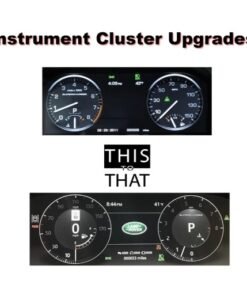
Instrument Cluster Coding Programming Configuring Services for Land Rover Range Rover and Jaguar

$195.00 – $635.00Price range: $195.00 through $635.00
Control Module (HVAC) Coding Programming Configuring Services
Quick View

Jaguar

General Proximity Sensor Module Coding Programming Configuring Services for Land Rover Range Rover and Jaguar

$195.00 – $635.00Price range: $195.00 through $635.00
Control Module (HVAC) Coding Programming Configuring Services
Quick View

Jaguar

Infotainment Master Controller (IMC) Coding Programming Configuring Services for Land Rover Range Rover and Jaguar

$195.00 – $635.00Price range: $195.00 through $635.00
Control Module (HVAC) Coding Programming Configuring Services
Quick View

Jaguar

Headlamp Control Module Coding Programming Configuring Services for Land Rover Range Rover and Jaguar

$195.00 – $635.00Price range: $195.00 through $635.00
Control Module (HVAC) Coding Programming Configuring Services
Quick View

Jaguar

Interactive Display Control Module Coding Programming Configuring Services for Land Rover Range Rover and Jaguar

$195.00 – $635.00Price range: $195.00 through $635.00

JLR Upgrades | OEM Retrofit | Defender Upgrades | Jaguar Upgrades

CarPlay Activation
Keys Programming
TOPIx Cloud
CCF Tools
OEM Retrofit
Genuine Parts

JLR Remote Support via OBD2


Refund & Returns Warranty

Free VIN Queries in 12Hours

Team Support FAQ

Contact

LAND ROVER®, DEFENDER®, and their respective logos are registered trademarks of Jaguar Land Rover. Jaguar Land Rover is not affiliated with JLRUpgrades.com, our team is independent Defender Modification specialist. All Landrover parts sold are genuine Landrover.

Links
  • JET Master 2025
  • JET Pro Coding
  • CCF-PRO Editor
  • Pathfinder v374
Legal
  • About us
  • Contact us
  • Support
  • VIN Check

Stay Connected

NewsLetter

Visa
PayPal
Stripe
MasterCard
Cash On Delivery
Copyright 2026 © JLR Upgrades | OEM Retrofit | Defender Upgrades
  • Home
  • Products
  • Solutions
  • Key Prog
  • Map Update
  • JLR Dealer Tool
  • Spare Parts
  • Accessories
  • Blog
  • Login

Login

Lost your password?

Register

A link to set a new password will be sent to your email address.

Your personal data will be used to support your experience throughout this website, to manage access to your account, and for other purposes described in our privacy policy.